
Academic Resources










Course Registration Guide
Important Notes
- Registration windows are announced by your faculty, usually at the end of semester before finals. Make sure you know the exact dates.
- Clear all outstanding fees before the registration period starts. You can still register if you pay while registration is open, but unpaid fees can force you into a special registration period later.
- If you miss the regular window, special registration typically opens one week before the next semester and lasts about two days. Check your email and ask your Academic Advisor.
- If you still have unpaid fees after special registration, you may be charged per subject (typically around RM 100 per subject).
- Register ALL subjects specified by your Academic Advisor and double-check with peers so you don’t miss any.
- Submit your saved subjects after registering. If a course stays in DRAFT status, your seat is not reserved and may be taken if someone else submits first.
- Bridging and foundation students should follow faculty instructions and confirm requirements with their Academic Advisor before registering.
Check the registration window
Make sure you know the exact dates for course registration in the academic calendar. Registration often opens at a set time and closing early can leave you without your preferred classes. UTM Academic Calendar

Login to your UTM Portal
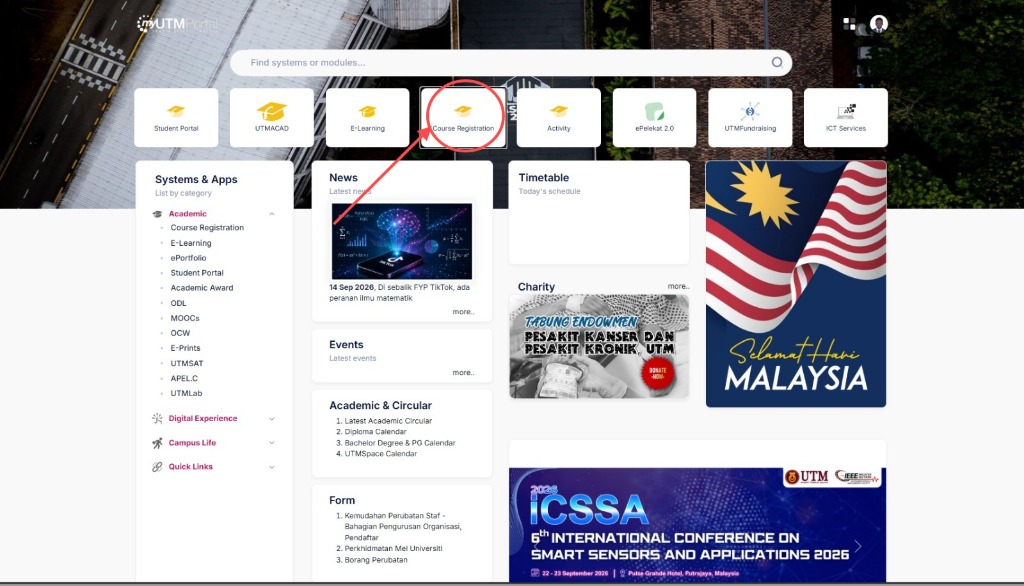
Visit the UTM Student Portal and sign in with your credentials. After login, click Course Registration. my.utm.my/login
Select Your Courses
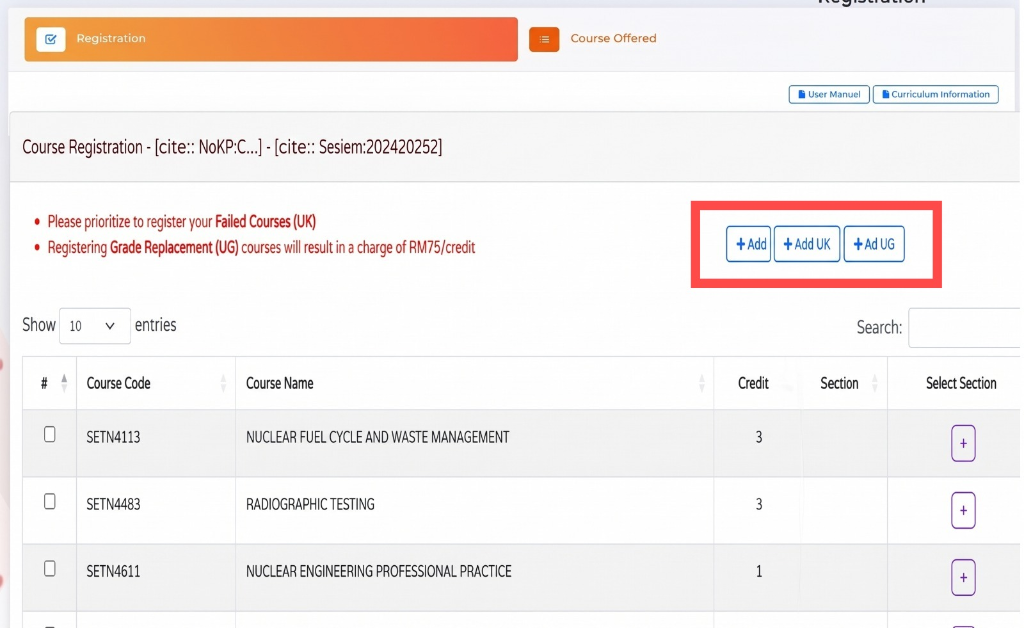
• The system will display a default list based on your standard curriculum. You must prioritize registering for any Failed Courses (UK) before adding new subjects. • To add specific subjects click the "+Add" button to search the database manually. • Note that registering for Grade Replacement (UG) courses will incur a fee of RM75 per credit.
Select Course Section
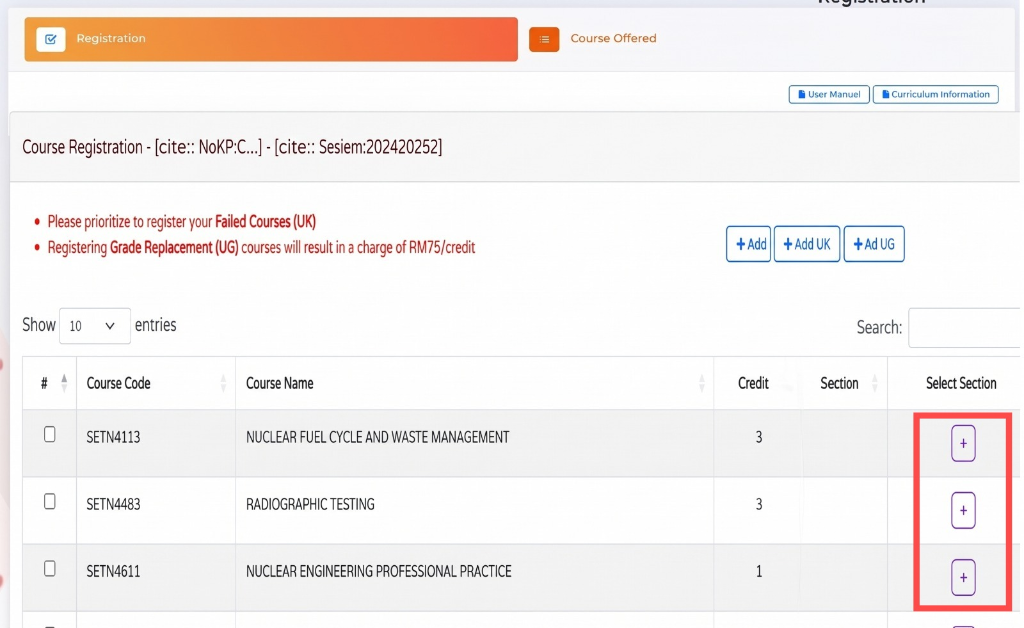
Click the "+" icon next to your desired course, select your preferred section based on availability, and click "Save".
Review and submit
Double-check your selection before submitting. Confirm the chosen courses are correct and there are no timetable clashes.
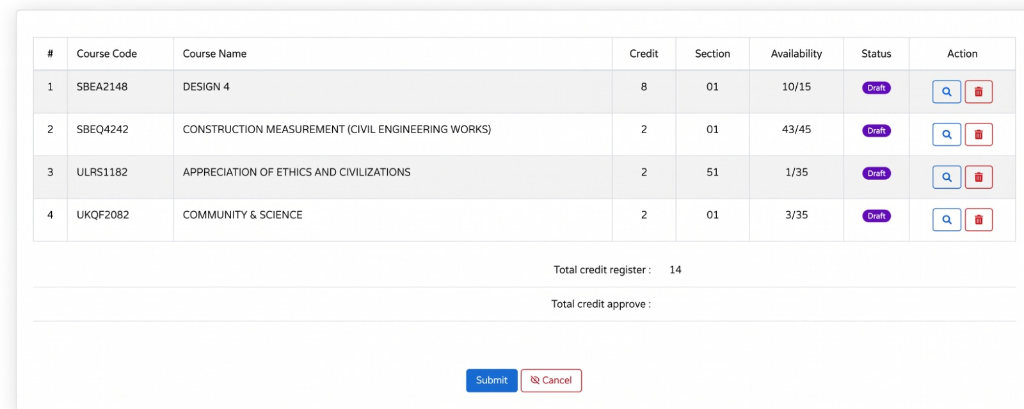
Save your receipt
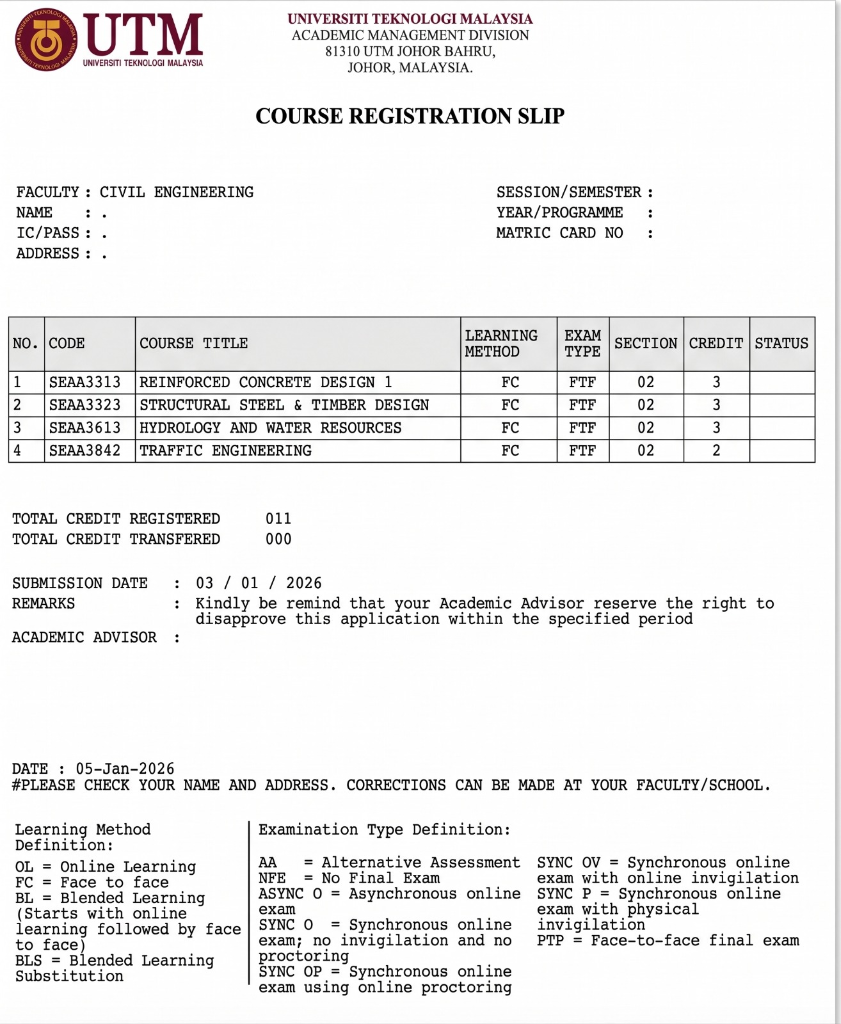
After successful registration, save a screenshot or PDF of the confirmation page for your records.