


Visa Guide
Student Visa
Visa Types & Fees
In Malaysia, the student visa system consists of several interconnected stages. Before traveling, students receive eVAL approval. Some nationalities also require a Single Entry Visa (SEV) from the Malaysian embassy. Upon arrival, students are granted a Student Pass valid for the duration of their program, renewed annually.
| Item | Estimated Cost |
|---|---|
| First year — EMGS & Immigration fees (processing, visa, medical, insurance) | RM 2,450 – RM 4,200 |
| Annual renewal (excluding insurance) | RM 750 – RM 800 |
| Mandatory medical insurance (annual) | RM 450 – RM 950 |
| Personal Bond (refundable, nationality-dependent) | Varies |
Costs vary by university, program, and nationality. Plan ahead.
Visa Renewal Process
Required Documents
- 1Updated information in the Application tab
- 2Attachment documents (uploaded via UPLOAD ATTACHMENT or GENERATE ATTACHMENT)
- 3Student Verification Letter (generate via my.utm.my before applying)
- 4Visa/pass payment receipt
- 5EMGS payment receipt
Step-by-Step Application
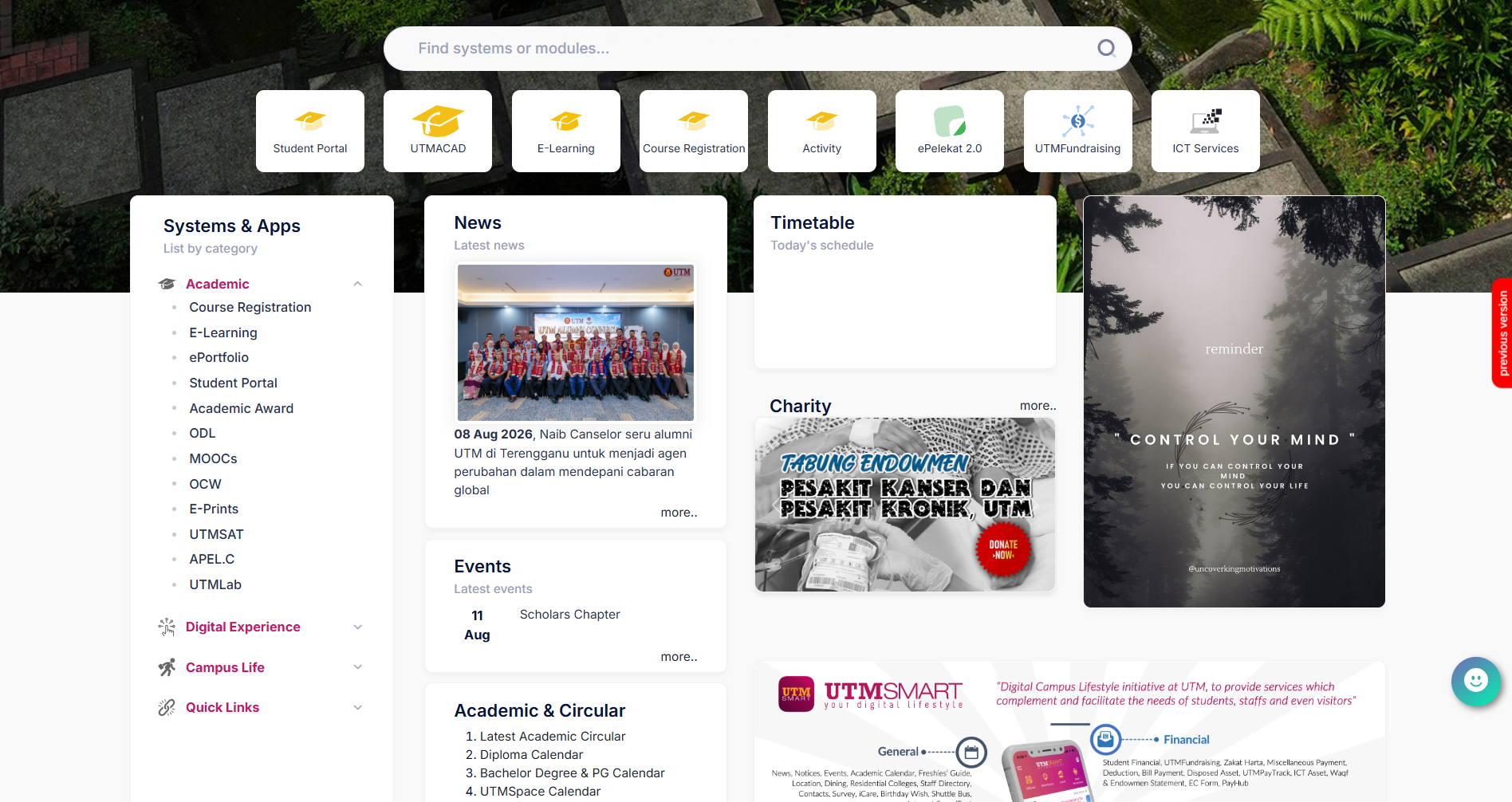
Log into the Student Portal
Log into MyUTM Portal, open the Student Portal (my.utm.my/login) sub-menu, then go to VisaCare → Application → Student → List of Application.
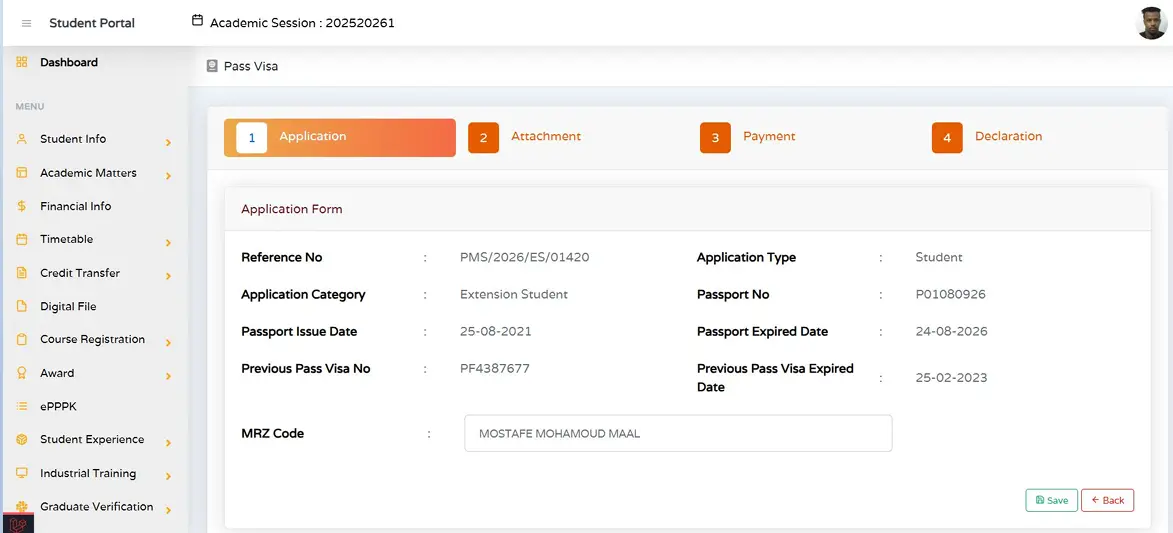
Update Your Application
In Tab 1: Application, update your information and click Save.
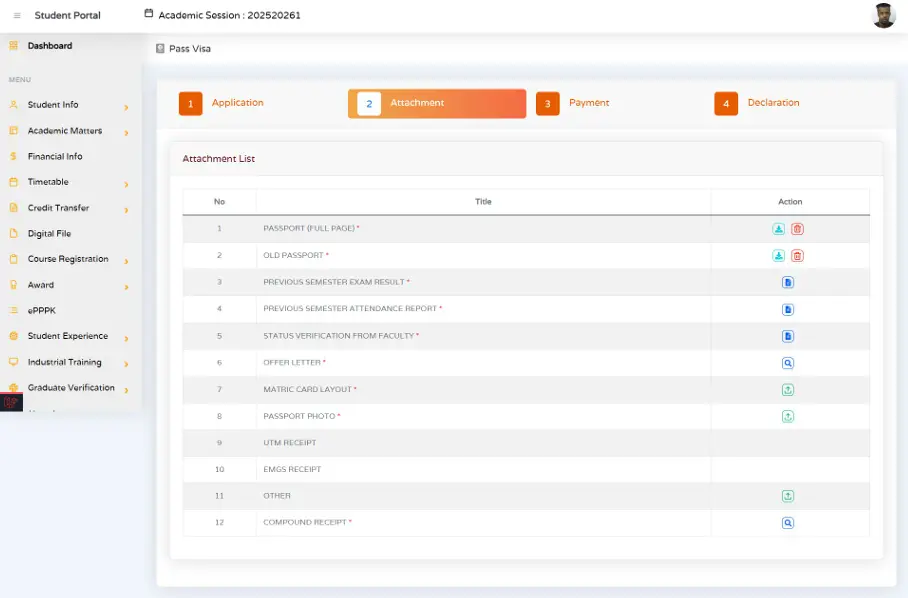
Upload Your Attachments
In Tab 2: Attachment, upload the required documents using UPLOAD ATTACHMENT or GENERATE ATTACHMENT. The Student Verification Letter can be generated via UTMSMART or my.utm.my before applying.
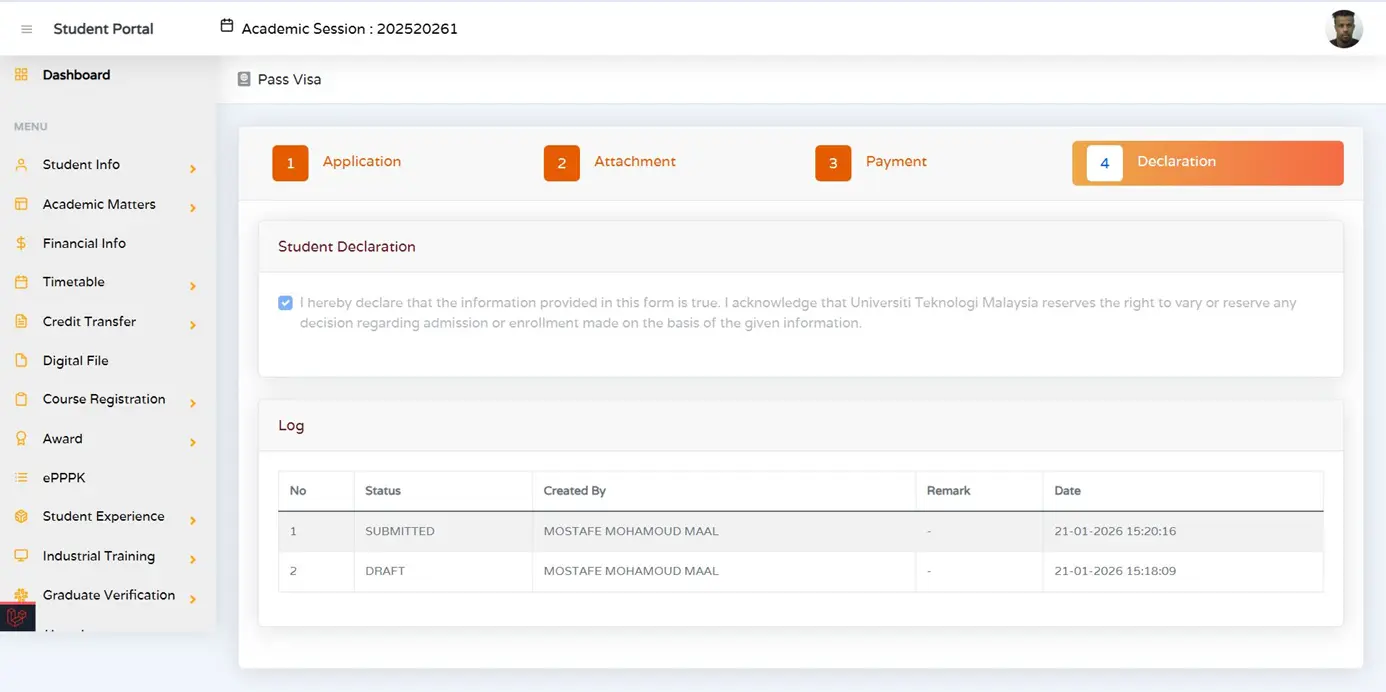
Declare Before Payment
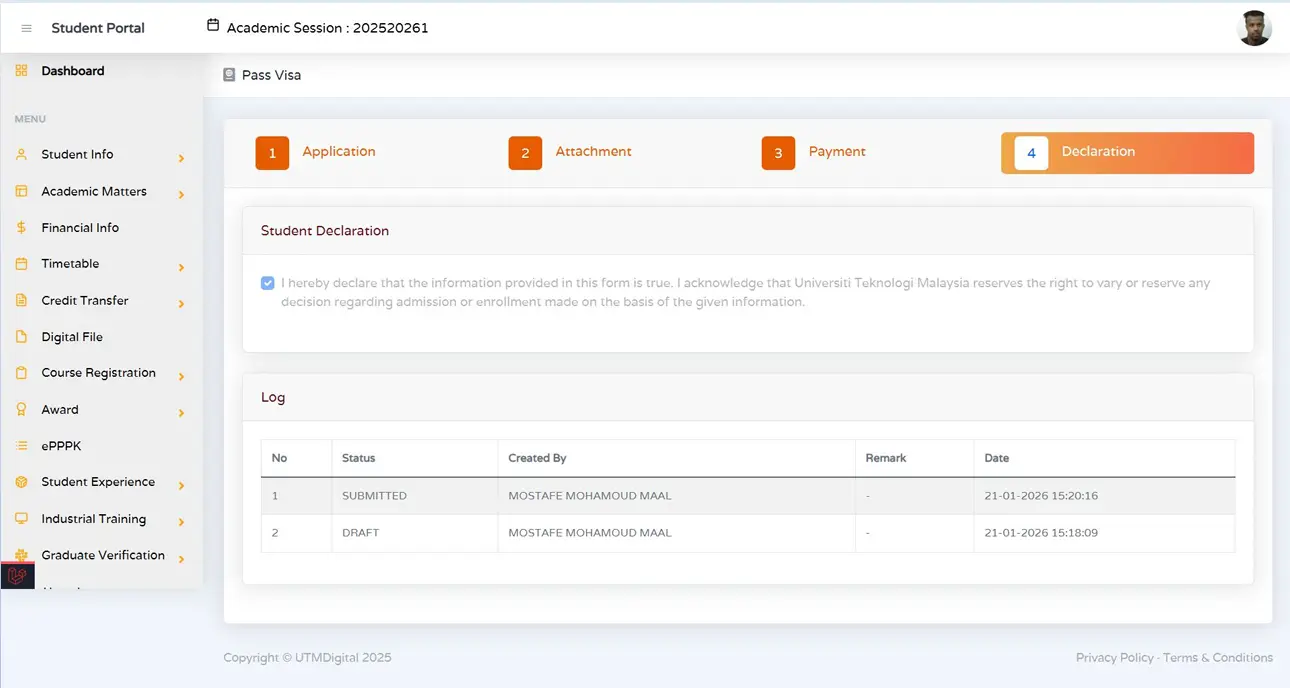
In Tab 4: Declaration, tick the text box before proceeding to payment.
Make Your Payment
In Tab 3: Payment, make a payment for pass / visa. After completing the payment, the system will allow you to upload the payment receipt for EMGS.
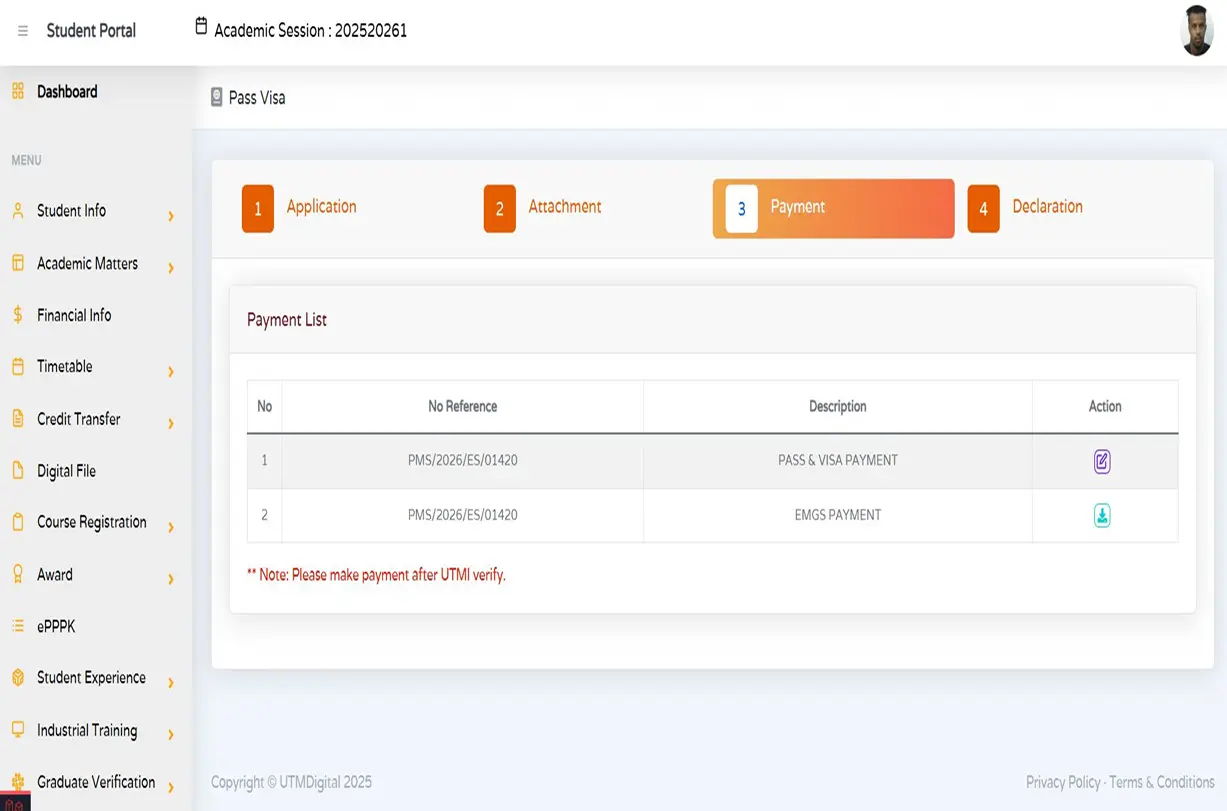
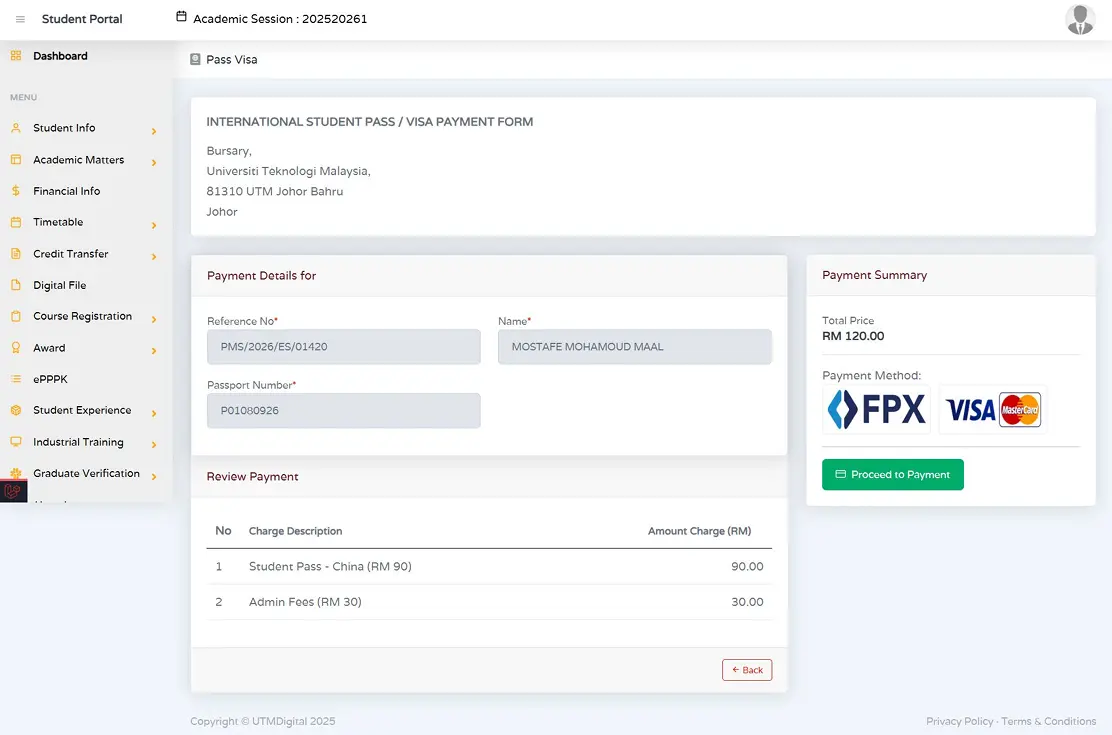
The system will direct you to the payment gate (For pass / visa payment).
Return to Tab 4: Declaration and tick the text box confirming payment has been made.
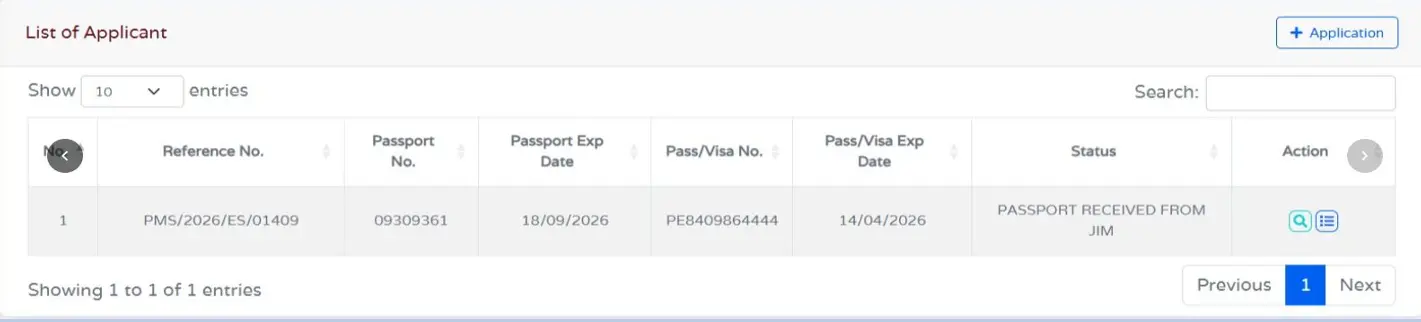
Track Your Application
Go to Track Your Application and select View Application to monitor your application's status. For further inquiries, email: [email protected].
Common Mistakes to Avoid
Application left in Draft status and never submitted
After completing all tabs, make sure your application status shows Submitted, not Draft — otherwise it won't be processed.
Student Verification Letter missing or expired
Generate a fresh Student Verification Letter via my.utm.my or UTMSMART before uploading it in the Attachment tab.
Payment made but receipt not uploaded to EMGS
After paying through the gateway, return to the Payment tab and upload your receipt so EMGS can verify it.
Declaration box not ticked after payment
Go back to Tab 4: Declaration and tick the confirmation box again after your payment is completed — this step is required twice.
If your application is stuck or rejected for a reason not listed here, contact [email protected] for help resolving it.
Before You Submit, Remember:
- Start your renewal at least 3 months before your Pass Expiry date — don't wait until the last few weeks.
- Double-check that the documents you upload are clear scans, not blurry photos.
- Keep copies of every receipt and confirmation page until your new Student Pass is issued.
- If your Student Pass is valid for more than one year, you still need to renew your iKad and medical insurance annually.